> For the complete documentation index, see [llms.txt](https://docs.p4warehouse.com/v2/llms.txt). Markdown versions of documentation pages are available by appending `.md` to page URLs; this page is available as [Markdown](https://docs.p4warehouse.com/v2/analytics/inventory/bulk-inventory/license-plate-configuration.md).
# License Plate Configuration
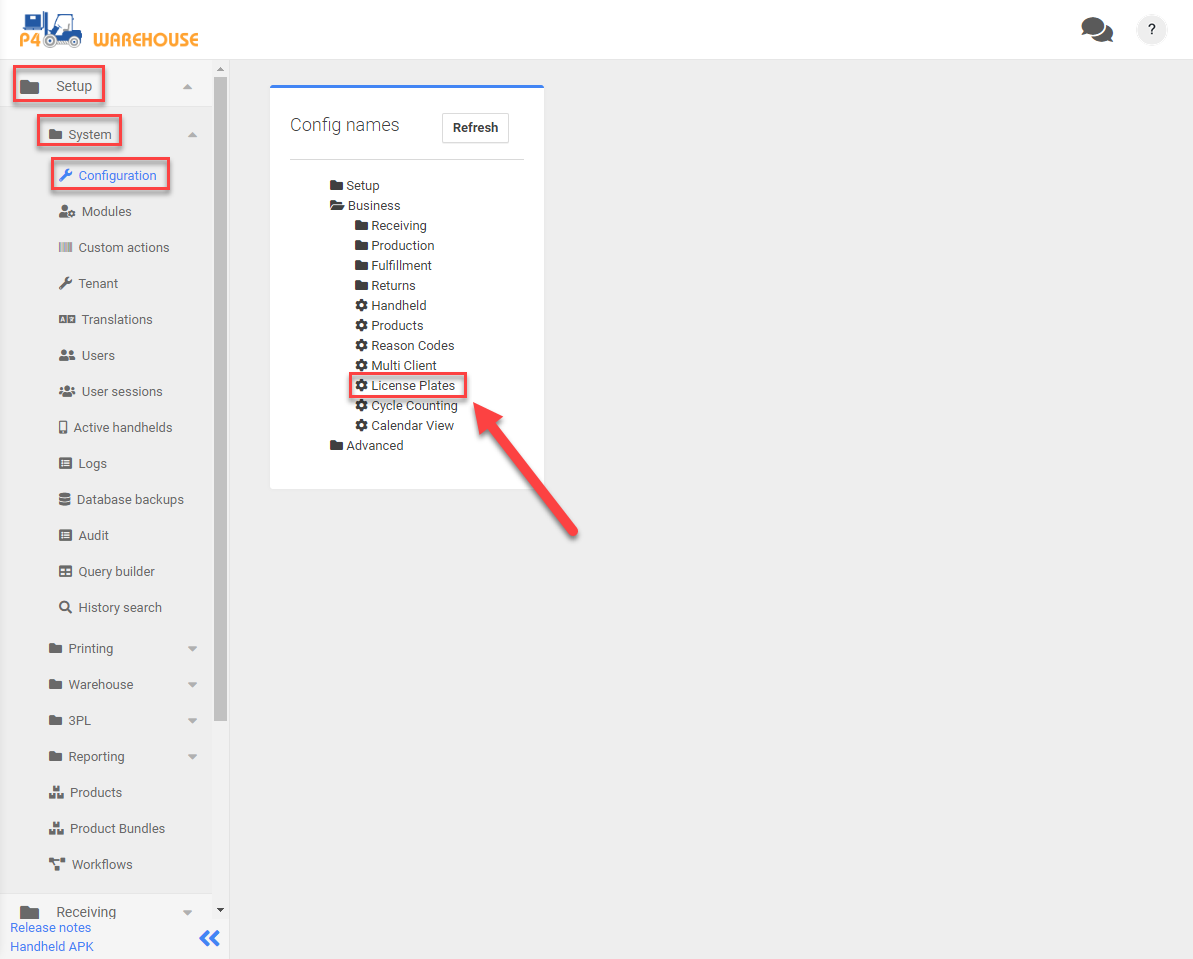
To configure pallets (LPNs\_, navigate to Setup > System > Configuration > License Plates.
## Configurations
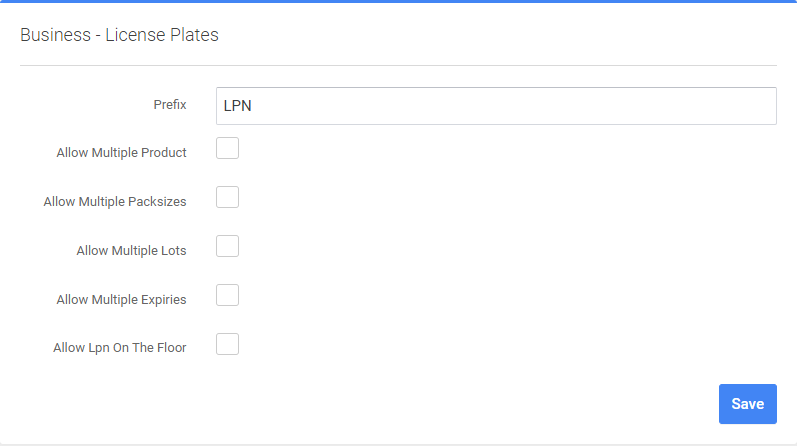
* **Prefix** - license plate prefix
* **Allow Multiple Product** - whether License Plates allow multiple products.
* **Allow Multiple Packsizes** - whether License Plates allow multiple packsizes.
* **Allow Multiple Lots** - whether License Plates allow multiple Lots.
* **Allow Multiple Expiries** - whether License Plates allow multiple Expiries.
* **Allow LPN On The Floor** -whether LPNs are allowed to be left on the floor or always require a location.
{% hint style="info" %}
Notice: Click 'Save' to implement changes.
{% endhint %}